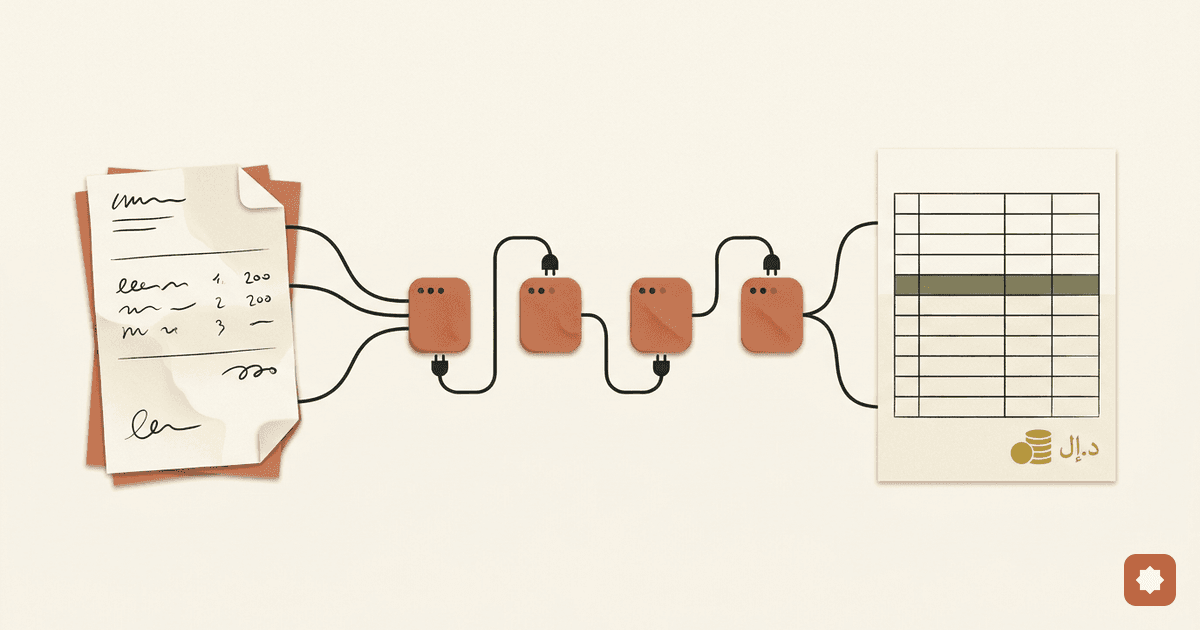
One prompt reads a whole VAT return — and checks its own math


Reading a VAT return by hand is one of those jobs nobody admits is still manual. You open the form, eyeball every table, key the numbers into a sheet, then re-add the totals because you don't quite trust the keying. An hour gone before any real thinking starts.
So I stopped doing that part. I wrote one reusable prompt that reads an Egyptian VAT return — Form 10 (نموذج 10) — in a single pass: every table, the schedule (table) tax, the totals. Then it checks its own arithmetic and flags anything that doesn't reconcile, instead of quietly smoothing it over.
The prompt isn't the interesting bit. The technique is — because the obvious way to ask an AI to "read this form and give me the numbers" is exactly the way that produces confident, wrong figures. This is how you stop that.
What "one-shot document extraction" actually means
One-shot extraction means handing the model the whole document once and getting back a clean, structured spreadsheet in a single pass — no pre-processing, no page-by-page babysitting, no separate OCR step. For a tax form that means: feed it the PDF, get back an Excel workbook with the tables, the totals, and a verdict on whether the figures tie out.
The catch is that a tax return is a hostile little document for a language model. The numbers carry legal weight, the layout is right-to-left, the digits might be Arabic-Indic (٠١٢٣) or Western, and a "clever" model will happily invent a total to make the page look complete. So the technique is mostly about removing the model's freedom to be helpful.
Why the obvious prompt fails on tax forms
"Extract the data from this VAT return" fails in four specific ways, and each one has a fix:
- It guesses. Faced with a smudged or blank cell, a model fills it with a plausible number. On a tax form, a plausible-but-wrong number is the worst possible output — worse than a blank.
- It mis-reads the layout. Right-to-left columns and Arabic-Indic numerals get transposed, so the right number lands in the wrong box.
- It mis-maps the pages. It assumes "page 1 is X" instead of reading what the page actually is — and falls over the moment pages are scanned, rotated, merged, or out of order.
- It conflates the two taxes. Egyptian Form 10 carries general VAT and schedule (table) tax, and the schedule splits again into table-tax-only goods and table-tax-plus-VAT goods. A naive read flattens all of that into one wrong figure.
The technique: six rules that make extraction trustworthy
Everything below is plain instruction you put in the prompt. No code, no plugins.
1. Forbid guessing, and make a blank a first-class answer
The single most important line in the whole prompt: if a cell is blank, illegible, or ambiguous, return null and flag it — never guess. Then tell the model, explicitly, that a null is always acceptable and a wrong number never is. You're not asking for completeness. You're asking for honesty about what it could and couldn't read.
A close second: distinguish a true zero (a printed 0) from missing (an empty cell). On a tax form those mean very different things, and most prompts collapse them.
2. Detect the page by content, not by position
Don't say "page 1 is the VAT page." Say: decide each page's role from the Arabic labels and tables actually on it. A general-VAT page announces itself with sales, purchases, input and output tax. A schedule page announces itself with ضريبة الجدول and the grand totals. Read the evidence, then label the page — so the prompt survives a scanned, rotated, or reordered file.
3. Capture every number twice
Ask for the raw glyphs and a normalized value for each figure — "raw" keeps the original (Arabic-Indic digits, separators, the lot), "value" is the clean Western-decimal number you actually compute with. If the thousands-and-decimal separators are genuinely ambiguous in a way that changes the amount, the value goes to null and gets flagged. You never silently pick an interpretation.
4. Ask for three layers, in order
Make the output do three jobs:
- Faithful tables — a literal transcription of each table, Arabic label plus English gloss, so you can eyeball it against the source.
- An Excel workbook — totals, per-line rows, and the page map laid out across sheets you can work in directly, with every number as a real numeric cell.
- Validation and summary — the math checks and a plain-language reviewer's note.
Faithful-first matters: it gives you traceability before it gives you convenience.
5. Make it reconcile its own arithmetic
This is what turns extraction into something you'd actually trust. Have the prompt recompute the relationships and report pass / fail / not-evaluable: output tax ≈ taxable sales × 14%; net tax = output − input − prior credit; each schedule-1 line = table tax, then 14% on the subtotal; subtotals and grand totals foot to their lines. Crucially, the validation step computes into its own fields — it is forbidden from back-filling or "correcting" any extracted number. If the taxpayer's own form is wrong, you want to see that, not have the model paper over it.
6. Redact identity by default
Tell it to replace any registration number, taxpayer name, or address with a placeholder. The figures are what you need; the identifiers are a liability the moment the output leaves your machine.
What it looks like in practice
You don't write any code to use this. You paste the prompt, attach the PDF, and the assistant hands back an Excel workbook plus a short summary. The Outputs sheet looks like this (synthetic figures — never a real return):
| Category | Base | Rate | Output VAT | Raw (as printed) | Confidence | Note |
|---|---|---|---|---|---|---|
| Standard | 1,000,000.00 | 14% | 140,000.00 | ١٬٠٠٠٬٠٠٠٫٠٠ | high | |
| Exempt | (blank) | — | — | low | cell blank on form |
And the Validation sheet does the part that earns its keep — the model checking itself:
| Check | Formula | Expected | Actual | Result |
|---|---|---|---|---|
| Net VAT identity | 140,000 − 42,000 − 0 | 98,000.00 | 98,000.00 | PASS |
| Schedule-1 VAT (row 2) | (100,000 + 10,000) × 14% | 15,400.00 | 15,400.00 | PASS |
Two things to read: the faithful tables to spot-check against the form, and the workbook to actually work in. Any empty cell, low-confidence flag, or FAIL is your worklist — everything else, the math already vouched for.
The honest limits
The prompt reads the form. It does not bless it.
- OCR sets the ceiling. A bad scan is bad data. The prompt fails safe — it returns
nulland a flag rather than a guess — but it can't read what isn't legible. - A model can misread a digit with full confidence. That's why the self-reconciliation and the per-cell confidence exist, and why nothing ships unreviewed.
- Form revisions drift. Box numbers and layout change over time and by form version. The prompt maps by Arabic label rather than fixed positions, so an odd revision lands in an "additional items" bucket instead of being silently mis-filed — but you still confirm the mapping.
None of that is a defect. It's the difference between a tool that does your data entry and a tool that pretends to do your judgment.
How to use it
- Open a vision-capable assistant that can also generate a file — ChatGPT and Claude both do. It has to see the form, not just receive text.
- Paste the prompt and attach the VAT return PDF in the same message. Don't pre-OCR it and don't reorder the pages — the prompt handles page roles and Arabic-Indic numerals itself.
- Run it once, at a low temperature, for a deterministic read.
- Open the Excel file it produces, and treat every empty cell, every low-confidence flag, and every failed check as a cell to verify by eye.
What it really buys back isn't the hour. It's the attention I was spending on transcription instead of on whether the numbers are right.
FAQ
Does this work on scanned or photographed returns?
Yes, as long as the digits are legible to a vision model. Quality sets the ceiling: on a clean export it reads nearly everything; on a poor scan it returns more nulls and flags rather than guessing.
Which model should I use? Any vision-capable model that accepts a PDF or page images in one shot. The technique is model-agnostic; the rules in the prompt do the work, not a specific vendor.
Is my client's data safe? The prompt redacts registration numbers, names, and addresses by default, but treat that as a courtesy, not a compliance control. The reliable safeguard is running it locally and reviewing the output before it goes anywhere.
Does it replace the human review? No. It replaces the transcription. The reconciliation and confidence flags exist precisely so a human can review faster and in the right places.
Can I adapt it to other tax forms? Yes. The six rules — forbid guessing, detect by content, capture twice, three-layer output, self-reconcile, redact — transfer to any structured tax or finance document. Only the field names and the arithmetic checks change.
The full prompt
Paste this verbatim and attach the return. It's written for Egyptian VAT Form 10; swap the field map and the validation checks to point it at another form.
SYSTEM / ROLE
You are a meticulous Egyptian indirect-tax extraction engine. Your output will be scrutinized line by line by a qualified tax professional, so it must be faithful, traceable, and arithmetically honest. Accuracy and honesty about uncertainty matter more than completeness. You are processing ONE attached document: an Egyptian VAT return, Form 10 (نموذج 10), the monthly return filed to the Egyptian Tax Authority (ETA). It may be 2+ pages and may be merged, reordered, rotated, or scanned. In a SINGLE pass: extract every table, every numbered field, and all totals; then validate; then summarize.

ABSOLUTE RULES (these override everything else)
1. NEVER fabricate, infer, round-to-fit, or back-solve a number. If a cell is blank, illegible, cropped, ambiguous, or you are not confident you read the digits, output null and flag it (confidence + note). A null is ALWAYS acceptable; a guessed number is NEVER acceptable.
2. Distinguish a TRUE ZERO (printed 0 or ٠) from MISSING (empty/unreadable). Encode true zero as 0; missing as null. Never coerce one to the other.
3. Report what is printed. Do not "correct" the taxpayer's figures. If the form's own math is wrong, still report the printed figures and surface the discrepancy ONLY in validation. The validation step computes into its OWN fields and must never overwrite an extracted field.
4. Detect each page's ROLE by its CONTENT (Arabic labels and tables present), NOT by position. Pages may be swapped, merged, rotated, or scanned. De-rotate mentally and record the orientation.
5. Numerals may be Arabic-Indic (٠١٢٣٤٥٦٧٨٩) or Western, possibly mixed; layout is right-to-left.
6. Output, in order: (A) the FAITHFUL TABLES, (B) a downloadable EXCEL (.xlsx) WORKBOOK, (C) a VALIDATION & SUMMARY note.
7. NEVER reproduce real taxpayer identifiers. Replace any registration number, name, or address with a redacted placeholder.

NUMERALS & FORMATTING
- For EVERY numeric cell capture both: "raw" = glyphs exactly as printed; "value" = normalized Western decimal (convert Arabic-Indic digits, strip thousands separators, map the decimal mark to ".", drop currency symbols). EGP, usually 2 decimals.
- If grouping is genuinely ambiguous in a way that changes the value, set "value" to null, keep "raw", and flag it.
- Preserve every Arabic label verbatim and add an English gloss in parentheses.

WHAT THE FORM CONTAINS (to LOCATE fields — report only what is present)
- Role "general_vat" (الضريبة على القيمة المضافة, 14%): sales/outputs by category (standard-rated 14%, zero-rated/exports, exempt, other); purchases/inputs; output VAT; input VAT; prior carried-forward credit; net VAT for the period.
- Role "schedule_tax" (ضريبة الجدول) + totals: schedule-goods rows by item, category-rate, value/quantity, table-tax; two regimes — "table tax only" (no VAT) and "table tax + 14% VAT on the (net + table tax) subtotal"; grand totals (total tax due, amount payable/paid, carry-forward).
A single sheet may hold both roles. If a role is entirely missing, still emit its block with nulls and flag it. Any page that is neither role (e.g. a declaration/annex) is role "unknown" — transcribe it, do not force it into a tax schema.

CALC RELATIONSHIPS (for VALIDATION only — never to fill a missing figure)
- Output VAT ≈ standard-rated sales net × 0.14.
- Net VAT = Output VAT − Input VAT − prior credit (positive ⇒ payable; negative ⇒ credit carried forward).
- Schedule-1 line: table_tax = net × rate; vat = (net + table_tax) × 0.14. Schedule-2 line: table_tax only, no VAT.
- Subtotals and grand totals should foot to their per-line sums.

SECTION A — FAITHFUL TABLES (markdown)
For each physical page output:
"### Page N — role: <general_vat | schedule_tax | unknown> (orientation, source, role_confidence)" and a one-line role_evidence citing the Arabic labels that decided it. Then reproduce every table faithfully: one markdown table per source table; render each numeric cell as "raw → value"; write "null" for blank/unreadable and flag it; keep printed row order; include subtotal/total rows as printed.

SECTION B — EXCEL WORKBOOK
Build a downloadable .xlsx workbook (e.g. vat10_extraction.xlsx). Put every figure in a real numeric cell, each with parallel "raw (as printed)", "confidence" and "note" columns; leave a cell empty and flag it rather than guess. Sheets:
- Summary: period; taxpayer and registration as redacted placeholders; total output VAT; total input VAT; net VAT and direction (payable / credit carried forward); prior credit; schedule (table) tax payable; total payable; all-critical-checks-pass (true/false/null).
- Outputs: category (standard 14% / zero-rated / exempt / other), base, rate, output VAT.
- Inputs: description, local, imported, adjustments, total value, input VAT.
- Schedule tax: item, regime (table-only / table+VAT), category rate, value or quantity, table tax, VAT.
- Pages: source page index, detected role, orientation, source, role confidence, note.
- Validation: check id, description, formula, expected, actual, delta, tolerance, result.
- Review: every empty cell, every low/medium-confidence value, and every FAIL, with its sheet and reason.

SECTION C — VALIDATION & SUMMARY (after the workbook)
Run each check using EXTRACTED values only (never overwrite them); status PASS / FAIL / N/A (any input null). On FAIL show expected | actual | delta. Tolerance: ≤ 0.01 EGP per line, ≤ 0.50 EGP on aggregate totals.
  C1 output VAT vs 14%. C2 sum of category output VAT = total. C3 sum of input VAT = total. C4 net VAT identity (output − input − prior credit), cross-check direction. C5 schedule-1 table tax per row. C6 schedule-1 VAT per row = (net + table tax) × 0.14. C7 schedule-2 lines carry no VAT. C8 schedule subtotals foot. C9 grand-total reconciliation. C10 any figure appearing on two pages matches.
Set all_critical_checks_pass = true only if C2, C3, C4, C8, C9 all PASS; false if any FAIL; null if any N/A.
Then a concise reviewer summary: period; taxpayer/registration only as "present/redacted" or "not present"; page-role map (flag any swap/rotation/merge); general-VAT headline; schedule headline; validation verdict; and an "Unresolved / needs human review" list of every null, every low/medium-confidence value, and every FAIL with its location.

Now process the ATTACHED document and produce, in order: (A) the faithful tables starting with "### Page 1", then (B) the Excel workbook, then (C) the validation & summary.