AI Literacy for Finance Professionals: What You Actually Need to Know in 2026

Eighty-seven percent of CFOs say AI will be "extremely or very important" to their finance operations this year. Only about 11% are actually using it in their day-to-day work. That gap isn't about interest. It's about literacy.
Most finance professionals were handed a chatbot and told to figure it out — no manual, no warnings, no sense of where the thing is genuinely useful versus where it will quietly embarrass you. This is the orientation that should have come first.
Here's what you need to know before you trust AI with anything that matters.
It starts with how you ask
A prompt is just an instruction, and the model isn't telepathic. "Summarize this P&L" gets you a generic paragraph. "Identify the top three gross margin drivers versus prior year, flag any line item that moved more than 10%, and note anything that needs management explanation" gets you something close to boardroom-ready.
You already have this skill. It's the same precision you'd put into a brief for a junior analyst or a question in a due diligence call. Give the model context, the format you want, and the specific question. Vague in, vague out.
One caveat: a perfect prompt still can't stop the model from inventing a number that was never in your document. Good prompting reduces bad output. It doesn't eliminate it. Verification always comes after — which brings us to the part nobody tells you.
The number problem
This is the single most important thing on this page, so I'll be blunt: large language models are not calculators. They predict the next word based on patterns in their training data. When they "do math," they're pattern-matching what an answer should look like — which is why the results are often right, and sometimes confidently wrong.
The evidence is not subtle. ChatGPT scored 47.4% on university accounting exam questions, against a student average of 76.7% — a study led by Brigham Young University with 327 co-authors across 186 universities, published in Issues in Accounting Education (2023). It did worst on exactly the questions finance people care about: multi-step calculations.
And the newer "reasoning" models haven't closed this. On a financial long-context QA benchmark, o3-mini — one of the more capable models available — hallucinated in 41% of cases (FailSafeQA, arXiv 2502.06329, February 2025).
The danger isn't obvious nonsense. It's a plausible wrong number sitting in a format that looks finished. The rule is simple: use AI for language tasks — summarize, draft, explain. Use Excel or a calculator for arithmetic. Never let the model do the final math on anything that counts.

What actually works in Excel
Copilot now lives inside Excel, with agentic capabilities generally available since April 2026 (Microsoft 365 Blog and Microsoft Support documentation). There are real wins here, and they're specific:
- Writing formulas from plain English — XLOOKUP, SUMIF, SUMPRODUCT, nested IFs — when your data is in proper table format.
- Explaining a formula someone else built, which is genuinely useful for audit trails and handoffs.
- Cleaning data: duplicates, stray whitespace, inconsistent capitalization.
- Building PivotTables and charts from a description.
How good is it? Independent benchmarks find meaningful gaps between models on real Excel tasks — with native Copilot consistently lower on raw accuracy but winning on workflow: it's already sitting in your spreadsheet.
Where it breaks: complex VBA and macros still need heavy manual editing, multi-sheet or non-standard layouts trip it up, and multi-criteria INDEX/MATCH has a high error rate. And if you work in Arabic, verify more carefully — Microsoft's own Tech Community forum documents user-reported gaps in interpreting complex Arabic phrasing (2025).
Reading documents: proceed with caution
AI reads narrative text well — MD&A sections, risk factors, the meaning of a dense regulatory clause. Ask it "what does this paragraph actually say?" and it earns its keep.
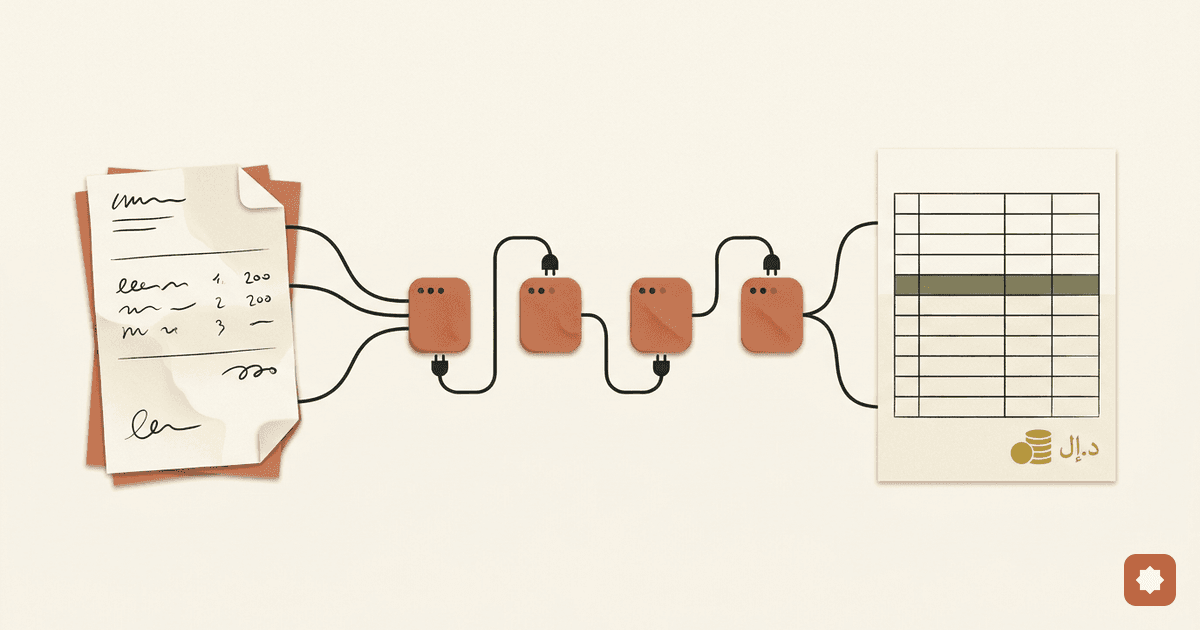
Tables are a different story. The FAITH benchmark, tested against S&P 500 annual report tables, confirmed what it called "intrinsic tabular hallucinations": models generate inaccurate numbers straight from financial tables — skipping entries, misreading figures, and fabricating data that wasn't cleanly accessible (arXiv 2508.05201, ACM ICAIF'25, 2025).
The rule: narrative text, fine. Any number the model pulls from a document gets checked against the source. Every time.
Verify like it's a junior analyst's work
You wouldn't forward an analyst's first draft to the board without a look. Treat AI output the same way. The trap is automation bias — a confident, polished format lowers your guard. The contradiction shows up in firms that have used these tools long enough to get comfortable: the same teams that review every AI output before sharing it externally also trust the AI over a colleague to catch formula errors in their own work. Both can't be the right call.
Three checks, fast enough to actually do:
- Spot-check numbers against the source. For every figure, find it in the original. Don't assume it's there.
- Reconstruct the key calculation in Excel. A variance or subtotal takes 30 seconds to verify and catches most errors.
- Ask the model to argue against itself: "What might be wrong here? What did you assume? What data could you have missed?" One adversarial pass surfaces more than one confident pass ever will.
If a task can't be verified quickly, it doesn't belong in an AI-assisted workflow yet.
The data rule
One hard line. Consumer ChatGPT — the free and Plus tiers — trains on your conversations by default. Paste a client's financials, a tax ID, or salary data into that window and it has left your control.
That's not just a privacy preference. Under the AICPA's Confidential Client Information Rule, putting client data into a public AI tool can breach professional confidentiality regardless of the vendor's terms — and under GDPR or the UAE's PDPL, names plus financial details are regulated personal data. The enterprise tiers are different: Microsoft 365 Copilot keeps data inside your tenant, and ChatGPT Enterprise or API with Zero Data Retention don't train on your inputs. Know which one you're in.
The test before you paste anything: would you be comfortable seeing it in a news story tomorrow? If not, use synthetic or anonymized data.
Where to start
Don't overhaul anything. This week, write one Excel formula with AI — an XLOOKUP, a SUMIF — and confirm it works before you rely on it. Low stakes, easy to check, real time saved. That's the whole assignment. The literacy builds from there.
Sources
- Deloitte Q4 2025 CFO Signals Survey (Jan 13, 2026) — 87% of CFOs rate AI critical for 2026. https://www.deloitte.com/us/en/about/press-room/deloitte-q4-2025-cfo-signals-survey.html
- L.E.K. 2025 Office of the CFO Survey — ~11% operational AI adoption. https://www.lek.com/insights/technology/lek-consultings-2025-office-cfo-survey-study-ai-ocfo
- BYU-led ChatGPT accounting study, Issues in Accounting Education (2023) — 47.4% vs. 76.7%. https://www.sciencedaily.com/releases/2023/04/230420171546.htm
- FailSafeQA benchmark, arXiv 2502.06329 (Feb 2025) — o3-mini hallucinated in 41% of cases. https://arxiv.org/pdf/2502.06329
- Microsoft 365 Copilot in Excel — capabilities and agentic GA (Apr 2026). https://support.microsoft.com/en-us/office/get-started-with-copilot-in-excel-d7110502-0334-4b4f-a175-a73abdfc118a
- FAITH benchmark, arXiv 2508.05201; ACM ICAIF'25 (2025) — intrinsic tabular hallucinations from S&P 500 annual report tables. https://arxiv.org/abs/2508.05201
- AICPA Confidential Client Information Rule (Section 1.700.001); GDPR; UAE PDPL.